AI guitar tab generator: from your playing to video tab
An AI guitar tab generator turns audio into tablature, but you still check it. See how it works, where it errs, and how FlowChord puts tab on your video.
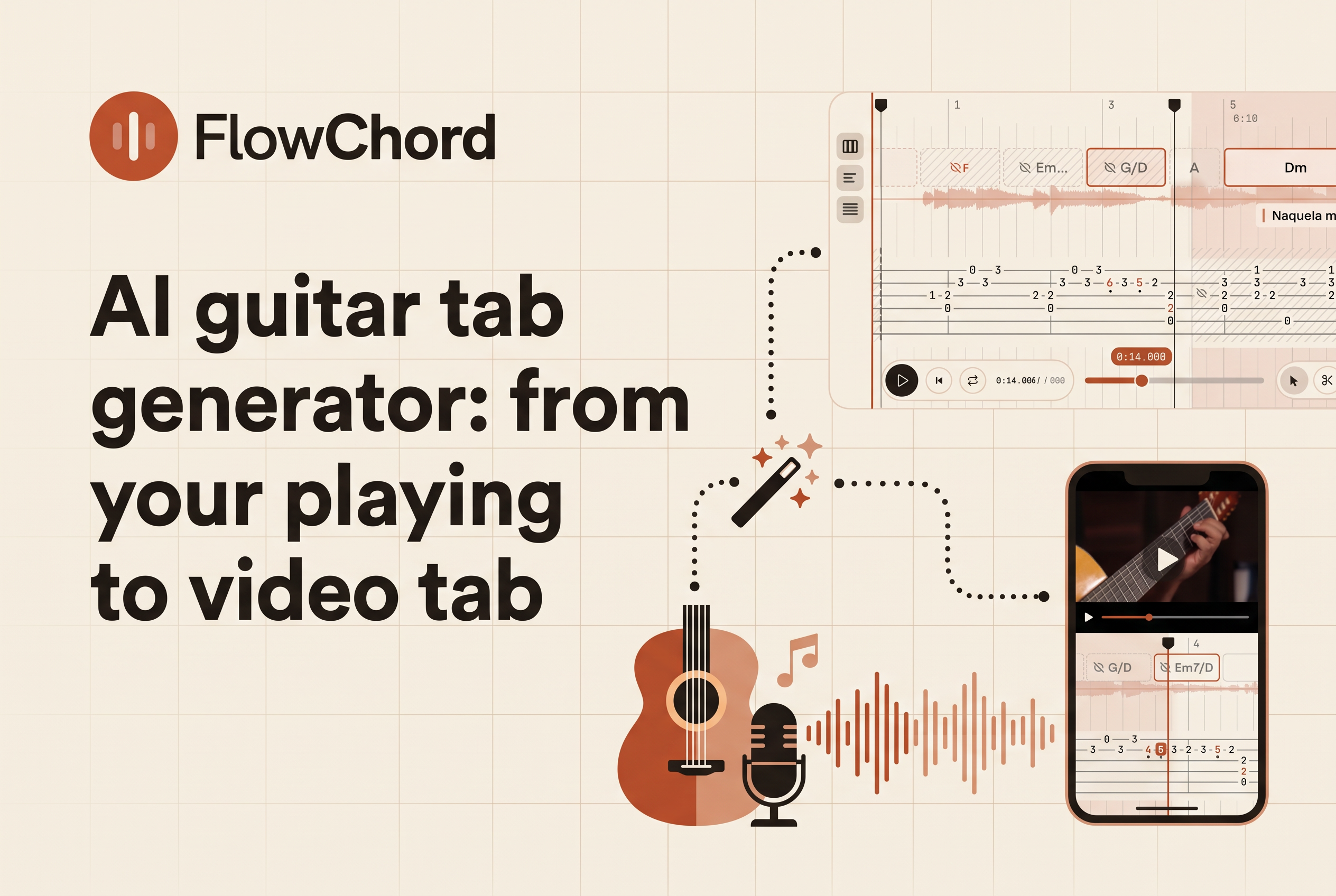
An AI guitar tab generator listens to a recording of guitar and returns a draft tablature: which notes were played, on which strings and frets, and when. It is a first draft, not a finished transcription, and the tools differ mostly in what they hand you afterward. Most give you a tab file to fix. FlowChord, a browser-based video editor now in early access, turns a recording of you playing into a video with tab, chords and lyrics synced on screen.
That difference decides which tool you want. If you need notation to open in a score editor, pick a tab-file tool. If you post guitar videos on Instagram, TikTok or YouTube and want the tab on screen while you play, the video itself is the deliverable. This post covers how audio-to-tab AI works, where it goes wrong, and how to choose.
What an AI guitar tab generator actually does
An AI guitar tab generator converts guitar audio into tablature by detecting pitches over time, then deciding which string and fret each note most likely came from. That's two jobs, not one. First it works out the notes and their timing. Then it maps those notes onto six strings, because the same pitch can be played in several places on the neck.
The tools people compare most often include Klangio's Guitar2Tabs, Songscription, Tabtify and Songsterr, plus Guitar Pro on the editing side. Most take an uploaded audio file and return an editable score. Some can export to formats that open in notation software.
Treat every result as a draft to check against your own recording. This article does not report a controlled accuracy comparison.
Where AI tab generators get it wrong (and why you always check)
AI tab generators get it wrong most often on fast solos, fingerpicking, rhythm and string choice, so you should always check the draft against the audio. A clean, isolated guitar with simple rhythms and straightforward chords gives the best results. A compressed full mix with drums, bass and vocals gives the worst.
The common failure modes are predictable:
Missed or merged notes in fast runs and fingerpicked patterns.
Loose rhythm, where notes land in the wrong place on the grid.
Awkward fret positions. The tab may capture the right pitches while showing a hand position no one would actually use.
Techniques like bends, slides and hammer-ons that get flattened into plain notes.
So test on a passage you already know. Play it, listen back against the audio, and check rhythm, tuning and fret positions before you trust the rest. Corrections are part of the workflow with every tool in this category, FlowChord included. Pick the tool whose editing is fastest, not the one that promises perfection.
Tab file or tab on video: two different jobs
A tab file and a tab on video solve different problems, and choosing the wrong one costs you hours. A tab file is a document: notes on a staff you can edit, print or open in other software. A tab on video is a presentation: the tab appears on screen, timed to your playing, ready to post.
If you are transcribing for yourself, arranging, or sending notation to a bandmate, a tab-file tool fits. You want clean export and a good score editor.
If you are a singer-guitarist, a cover creator or a solo teacher publishing playing videos, the file is only the first half. After you get the tab, you still have to build the video: position the tab, sync it to your recording, add chords and lyrics, and cut versions for each platform. That is where the hours go. By hand it can take 3 hours or more per video.
The question to ask is simple: do you need a document, or a finished video?
Test the deliverable before comparing the tools
FlowChord is a browser video editor in early access that turns a recording of you playing into a video with synced chords, tab and lyrics. Its planned launch is December 15, 2026.
For a useful comparison, record a short passage you know and keep that recording unchanged across tools. Write down your intended strings and frets before uploading. Otherwise you may accept a plausible transcription that does not match what your hands played.
A worked check: the right pitch can still be the wrong tab
In standard tuning, the open high E string and the fifth fret of the B string produce the same pitch. Record yourself playing the open high E, then B-string fret five. Your reference tab is:
e|--0-----|
B|-----5--|
G|--------|
D|--------|
A|--------|
E|--------|
If a transcription puts both notes on the open high E string, it has preserved the pitches but lost your string choice. That distinction matters in a lesson about fingering. Check the tab against the visible hands as well as the sound.
Then include a chord and a short picked phrase in the same recording. Check note order, missing notes and alignment separately. These are proposed test steps, not results from a comparison we have run.
Judge the video as well as the transcription
For a teaching video, play the result once without stopping. Can you see the relevant fretting hand while reading the tab? Does the annotation correspond to the note being demonstrated? Pause at a chord change and compare the displayed name with your reference notes.
Write down every correction you would need before publishing. A usable draft is one you can check and finish, not merely one that looks convincing at first glance.
How to choose an AI guitar tab generator (checklist and FAQ)
Choose by the output you need, not by headline accuracy. Use this checklist, and rank the tools you try against it.
Deliverable. Do you need a score file or a finished video? File tools such as Guitar2Tabs, Songscription and Tabtify suit notation. FlowChord suits video.
Editing speed. How fast can you fix a wrong note? Test it on a passage you know.
Export. If you need Guitar Pro or MIDI, confirm the format before you commit. Check each tool's own export list.
Source audio. Isolated guitar beats a full mix for every tool. Record clean if you can.
Instrument scope. Confirm your guitar and tuning are supported.
Where it ends. Does the output stop at a file, or reach a publishable video?
On free options: some tab tools offer free tiers. Run your own passage through whichever you try and judge the result by ear. No honest comparison can crown a single accuracy winner without independent benchmarks, so your own test beats any ranking, including this one.
Test one passage on FlowChord before you hand-edit another video
If your goal is a tab file, any of the audio-to-tablature tools will give you a draft to correct. If your goal is a video your audience can follow, the draft is only the start, and the hours go into building the video around it. That is the job FlowChord does: tab, chords and lyrics synced to your own recording, editable when the AI misses a note. Take one passage you can already play, try it at flowchord.studio, and judge the tab against your own ears.