Change your profile and preferences
Edit your name, photo and e-mail, and choose FlowChord's language, theme and privacy settings.
Updated October 22, 2026
Your profile and your preferences are both in the account menu — your photo or initial at the right of the top bar. Nothing there is required: FlowChord never asks you to fill in a profile before you use it.
Steps
Edit your profile
- Open the account menu and choose Profile.
- To add a photo, press Add photo (or Replace photo), pick an image, frame it with Zoom, and press Apply photo.
- Change your Name or Email if you like.
- Press Save profile. If you changed your e-mail, FlowChord sends a code to the new address: type it and press Verify and save.
Change your preferences
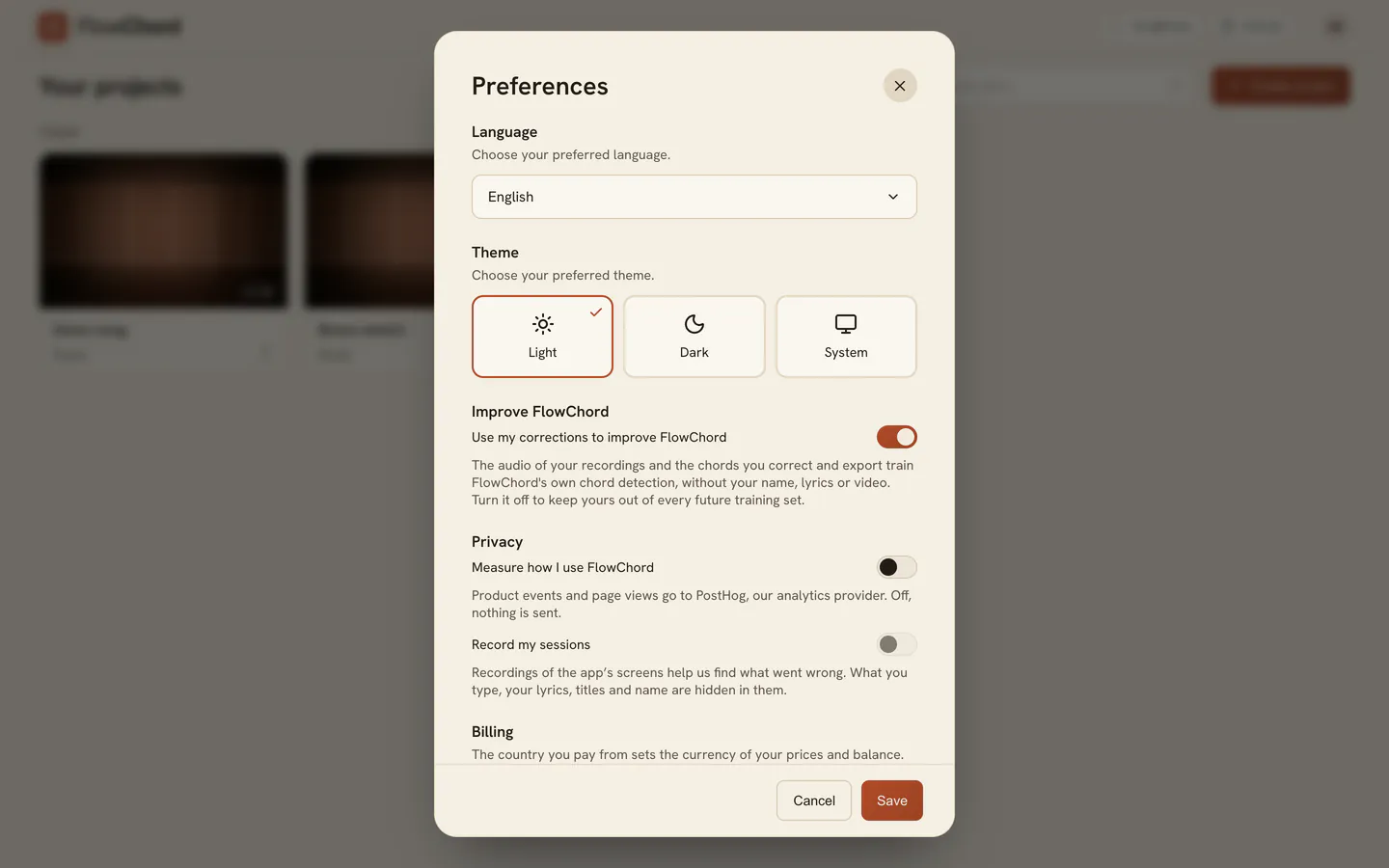
- Open the account menu and choose Preferences.
- Pick a Language and a Theme. The app changes as you pick, so you can see the result before you keep it.
- Set the switches under Improve FlowChord and Privacy.
- Press Save. Cancel puts everything back as it was.
Options
| Setting | What it does |
|---|---|
| Language | English, Português or Español. It is your account’s language: the app on every device you sign in on, the e-mails FlowChord sends you, and the website in this browser |
| Theme | Light, Dark, or System to follow your device |
| Use my corrections to improve FlowChord | The audio of your recordings and the chords and tabs you correct and export train FlowChord’s own chord and tab detection, without your name, lyrics or video. A tab you export stays as a training example (its notes only) after you delete the project. Turn it off to keep yours out of every future training set and delete those examples |
| Measure how I use FlowChord | Whether FlowChord measures how you use it — see Analytics and privacy choices |
| Record my sessions | Whether the app’s screens may be recorded to find what went wrong; it needs measuring on |
| Billing | The country you pay from, which sets the currency of your prices and balance. You can change it until your first top-up or paid video; after that, it says your balance’s currency |
Tips
- Your photo is optional. To take it off, press Remove and save.
- Before you pick a language, FlowChord uses the one your device shows; a new account in Brazil starts in Portuguese. Once you pick one here, it stays your account’s language.
- How chord names are written — the Brazilian cifra or the international notation — isn’t a preference: you choose it in each project’s Chords tab, and your last pick is used for your next project. See Chord name notation.
- Your Profile and Preferences are also on your phone, in the same account menu.
Common problems
- The profile won’t save without a name. The profile form needs a name and an e-mail to save. Type any name you like.
- The photo isn’t accepted. A message says why: the file isn’t an image, or it is too large. Pick a smaller picture, such as a JPG or PNG.
- This email is already in use by another account. Another FlowChord account uses that address. Keep your current e-mail, or sign in to the other account.
- The code to confirm your new e-mail didn’t arrive. Check your spam folder, then press Resend code.
- The language changed by itself. Your language belongs to your account: picking one on another device, or on the website, changes it everywhere.
Was this article helpful?
Still stuck?
Write to us and a person on the FlowChord team will answer by email.
Contact us