Monthly plan: Creator
Minutes of song every month for a fixed price, more storage and footage kept. Subscribe or cancel.
Updated November 6, 2026
Instead of paying only by the minute, you can subscribe to the monthly plan, Creator. It gives you minutes of song every month for a fixed price, more storage, and keeps your videos’ footage while you subscribe. Your wallet stays: it pays for any minutes past the plan’s. To compare with paying as you go, read How pricing works.
Before you start
Everything about your plan is on the Plan page. Open it from the account menu with Plan. On a phone, the account menu is the avatar at the top right.
Steps
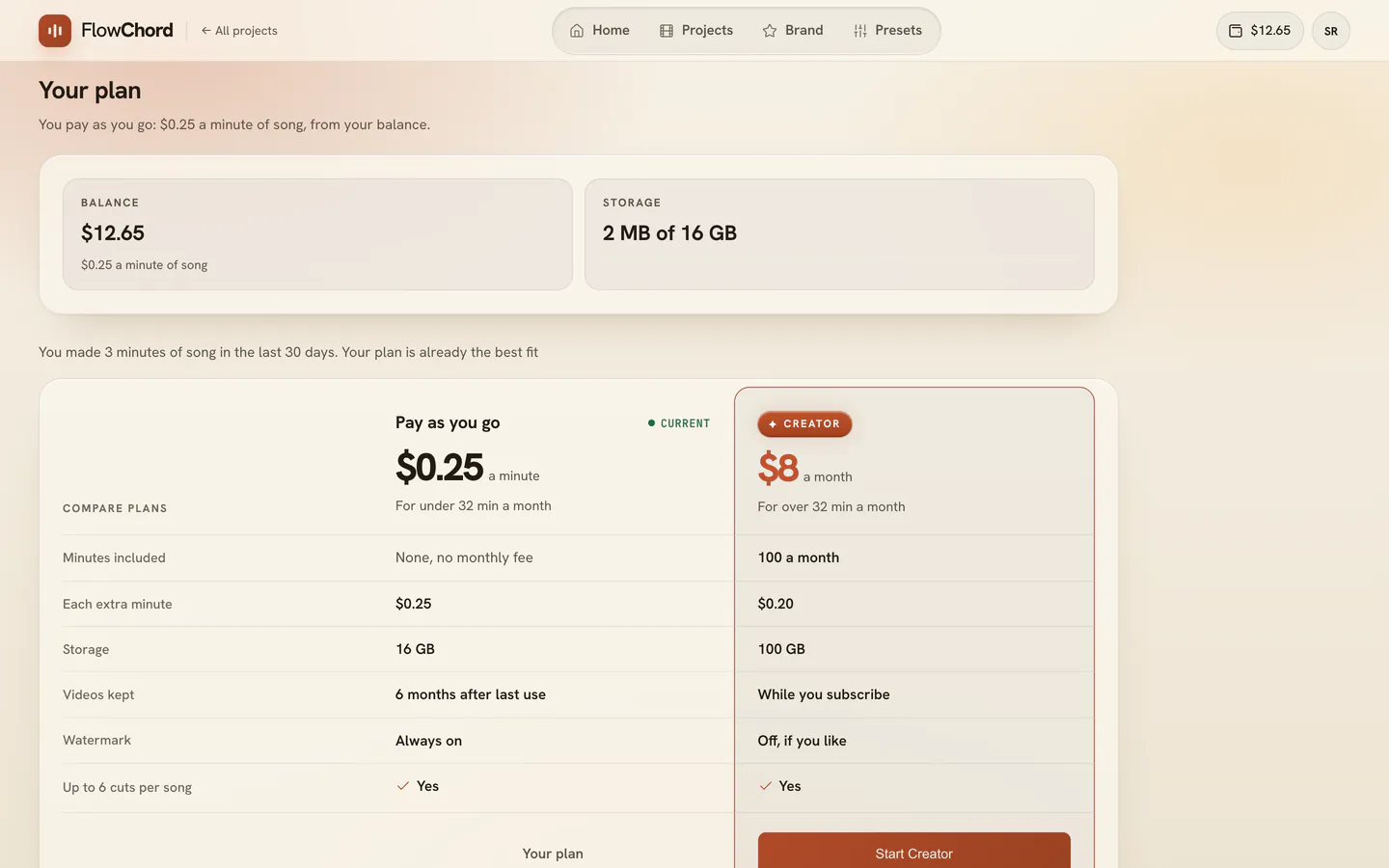
Subscribe to a plan
- Open the account menu and choose Plan.
- On the Creator card, press Start Creator.
- Pay on Stripe’s secure page, which opens in a new tab.
- Come back to FlowChord: the plan starts at once, and the Plan page shows your Minutes this month.
Switch to pay as you go
- On the Plan page, press Switch on the Pay as you go card. Under it, the page says the day it takes effect.
- Read the dialog: your minutes, the storage you use against what paying as you go holds, the watermark and your footage.
- Press Switch. Nothing changes until the end of the month you paid for.
- Changed your mind before that date? Press Keep Creator on the Plan page.
Options
| Creator | |
|---|---|
| Price a month | Shown on the Plan page, in your wallet’s currency |
| Minutes of song a month | 100 |
| A minute past them, from your balance | The plan’s extra rate, shown on the Plan page |
| Storage | 100 GB |
| Footage of paid videos | Kept while you subscribe |
| FlowChord watermark | May be hidden, cut by cut |
Your balance pays first
- While your wallet has balance, it pays your plan before your card: the first month, every renewal and a move up. Your card is charged only for what the balance does not cover.
- On Stripe’s page and on the invoice, that part is a line of its own, “Paid from your FlowChord balance”. Your History lists it too.
How the minutes work
- A plan’s minutes are used before your balance, by the minute of song, as with paying as you go.
- They don’t roll over: minutes you don’t use in a month end with it.
- Past them, songs are paid from your balance at the plan’s extra rate (see the table above). If your balance doesn’t cover them, Add funds opens.
- A plan never charges by video or by cut: each song can have up to 6 cuts at no extra cost.
- A failed analysis or creation gives its minutes back to the month they came from, while that month is open.
Ending a plan
- Switching to pay as you go takes effect at the end of the month you paid for. Until then you keep everything, and nothing is refunded for the rest of that month.
- Nothing is ever deleted when a plan ends. If you store more than paying as you go holds, only new uploads wait until you free some space.
- When a plan ends, you pay by the minute from your balance again. Each paid video’s 6 months before its footage is archived count from that day, and new exports carry the watermark again; videos you already exported stay as they are.
- Your site and the Practice Fund. When the Creator plan ends, your site goes offline and your videos stop counting for the Practice Fund. What you earned stays yours, and so do the commissions on the customers you brought — see The creator program and your earnings.
Tips
- On Creator, FlowChord plans Smart Edits for a new project — notes, circles, checks, a closer camera, in your own words — laid on as elements you can change. See Smart Edits.
- The Plan page says which way of paying costs you least, from how many minutes of song you made recently.
- On Creator, you hide the watermark in each cut from the Extra tab — see Add text and images.
- FlowChord e-mails you when your plan starts, renews or is cancelled, and when a payment fails.
- A plan doesn’t touch your balance, which keeps paying for the minutes past the plan’s.
Common problems
- A renewal payment failed. Your plan stays on for a week while Stripe tries again, and the Plan page says until when. If it still can’t be charged, the plan ends as if you had cancelled it, and nothing is deleted. FlowChord has no page to change your card yet: if your card changed, write to us through Support.
- The Plan page says New minutes arrive when your payment goes through. Your month’s minutes arrive once Stripe confirms the payment.
- The Plan page says monthly plans aren’t available. The plan can’t be bought right now; you can keep paying as you go.
- More storage used than paying as you go holds. Nothing is deleted. Delete projects you don’t need, or keep your plan — see Storage.
Was this article helpful?
Still stuck?
Write to us and a person on the FlowChord team will answer by email.
Contact us